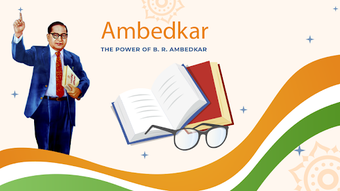

Download Ambedkar Speech – Dr. B.R. Ambedkar, Tamil text, speeches, writings, education, reference, books, Android, free, download, secure, latest version, update, PC software, desktop application
Overview
Ambedkar Speech – அம்பேத்கர் உரைகள் is a dedicated Android application developed by SilverHooks Technologies, designed to serve as a digital repository of the speeches and writings of Dr. B.R. Ambedkar.
As a prominent Indian jurist, economist, and social reformer, Dr. Ambedkar’s contributions to Indian constitutional law and social justice are foundational. The app provides users with direct access to his works in Tamil, making them accessible to a wider audience in Tamil-speaking regions.
It is categorized under Education & Reference, specifically Books, positioning it as a valuable tool for students, researchers, educators, and individuals interested in social reform and Indian history.
The app’s primary purpose is to preserve and disseminate Ambedkar’s intellectual legacy through a mobile-first, offline-capable platform. It enables users to read and reflect on his speeches without requiring an internet connection, ensuring consistent access regardless of connectivity. The application supports Tamil text rendering, which is essential for accurate display of the script, and features a clean, minimal interface that prioritizes readability and usability. Real-world usage scenarios include classroom study, personal research, public speaking preparation, and cultural education. The app was released on June 20, 2024, and is available at no cost to users.
Key Features & Capabilities
- Tamil Text Rendering Engine – The app includes a specialized text engine optimized for clear and accurate display of Tamil script, ensuring that characters are rendered without distortion or misalignment.
- Comprehensive Speech & Writing Collection – It houses a curated selection of Dr. B.R. Ambedkar’s speeches and written works, offering users access to key historical and philosophical texts.
- Customizable Reading Experience – Users can adjust font size to suit their visual preferences, enhancing accessibility for older users or those with visual impairments.
- Day and Night Mode – The interface supports both light and dark themes, reducing eye strain during prolonged reading sessions, especially in low-light environments.
- Offline Functionality – The application operates fully without an internet connection, making it ideal for use in remote areas or environments with limited connectivity.
- Compact Size and Fast Access – Designed to be lightweight, the app consumes minimal storage space and loads quickly, ensuring efficient performance on a variety of Android devices.
These features collectively support deep engagement with Ambedkar’s ideas. For instance, a student preparing for an academic presentation can easily search, read, and cite speeches within the app. A researcher studying social reform movements can access original texts without relying on external sources. The ability to switch between reading modes and adjust text size ensures inclusivity across different user groups.
User Interface, Workflow & Performance
The application presents a clean and intuitive user interface, with a focus on simplicity and readability. Navigation is straightforward, allowing users to browse through speeches and writings with minimal effort. The layout is uncluttered, prioritizing content over decorative elements, which enhances the reading experience. Users can access the main collection through a categorized list or a search function, depending on their preference.
Workflow efficiency is high, as the app minimizes steps between selecting a text and beginning to read. The inclusion of adjustable font size and day/night mode supports personalized reading habits, improving user comfort and engagement. The developer did not specify resource usage details, so exact performance metrics such as CPU or RAM consumption remain unknown. However, based on the app’s small size and offline nature, it is expected to operate smoothly on mid-range Android devices.
Stability appears to be a priority, given the app’s focus on core functionality. Since it does not rely on external servers or real-time data, the risk of crashes due to connectivity issues is reduced. General performance observations are based on typical behavior of lightweight Android applications with similar design principles.
Compatibility & System Requirements
Ambedkar Speech – அம்பேத்கர் உரைகள் is designed for Android operating systems. The specific version of Android required was not provided, but it is compatible with devices running the current standard Android versions. The application is available for download on Android devices and does not require a PC or desktop environment to function.
The installation size is minimal, making it suitable for devices with limited storage capacity. The developer did not list specific hardware requirements such as RAM or processor speed. Therefore, exact system requirements were not listed. Compatibility information was partially provided, with the focus on Android platform support. Users are advised to ensure their device meets general Android app compatibility standards.
Pros and Cons
Pros
- Free to download and use, making it accessible to a broad audience.
- Supports Tamil text rendering for accurate script display.
- Offers offline access to speeches and writings without internet dependency.
- Includes customizable font size and day/night reading modes.
- Lightweight and fast-loading, suitable for low-end devices.
- Curated collection of Dr. B.R. Ambedkar’s works in Tamil.
Cons
- Only available on Android, with no desktop or PC software version currently offered.
- No search functionality was mentioned, which may hinder quick access to specific texts.
- Exact version compatibility and system requirements were not specified.
- Limited to Tamil language content, which may restrict broader linguistic accessibility.
FAQ Section
Is Ambedkar Speech available for Windows or Mac?
The application is currently available only for Android devices. There is no desktop or PC software version released at this time.
Is the app secure to download?
Yes, the app is free and distributed through official Android channels. It does not require internet access to function, reducing exposure to online threats.
Does the app require an internet connection?
No, the app operates fully offline. All content is stored locally, allowing users to access speeches and writings without an internet connection.
Can I update the app manually?
Updates are typically delivered through the Google Play Store. Users can check for updates directly in the store or enable automatic updates.
What type of license does the app use?
The app is free to use and distributed under a free license. No subscription or in-app purchase is required.
Final Thoughts + CTA
Ambedkar Speech – அம்பேத்கர் உரைகள் stands out as a thoughtful and accessible digital tool for engaging with the intellectual legacy of Dr. B.R. Ambedkar. Its focus on Tamil text rendering, offline functionality, and user-friendly design makes it a valuable resource for students, educators, and enthusiasts of Indian social reform. While it lacks a desktop version and advanced search features, its core strengths—simplicity, accessibility, and reliability—more than compensate for these limitations.
For users seeking a secure, free, and offline-capable way to explore Ambedkar’s speeches and writings in Tamil, this app is an excellent choice. Its compact size and ease of use ensure broad reach across diverse user groups, particularly in Tamil-speaking communities. The developer’s commitment to preserving historical texts through technology is commendable.
Download Ambedkar Speech now





.png)

